Using Your Circool Pass to Visit a School
Your Circool Pass helps your school check you in quickly and safely when you visit.
Depending on your school’s setup, you may check in using a self-service kiosk or by showing your Circool Pass to the front office.
When to use this
Use this article when visiting your school for a meeting, event, volunteer activity, classroom visit, lunch visit, or another approved school visit.
What is your Circool Pass?
Your Circool Pass is your personal school check-in QR Code your school can scan to help confirm who you are when you visit, attend an event, or pick up a student.
Before you arrive
- Activate your Circool Account (see Activate Your Circool Account)
- Open Circool on your phone.
- Make sure your Circool Pass is ready to show.
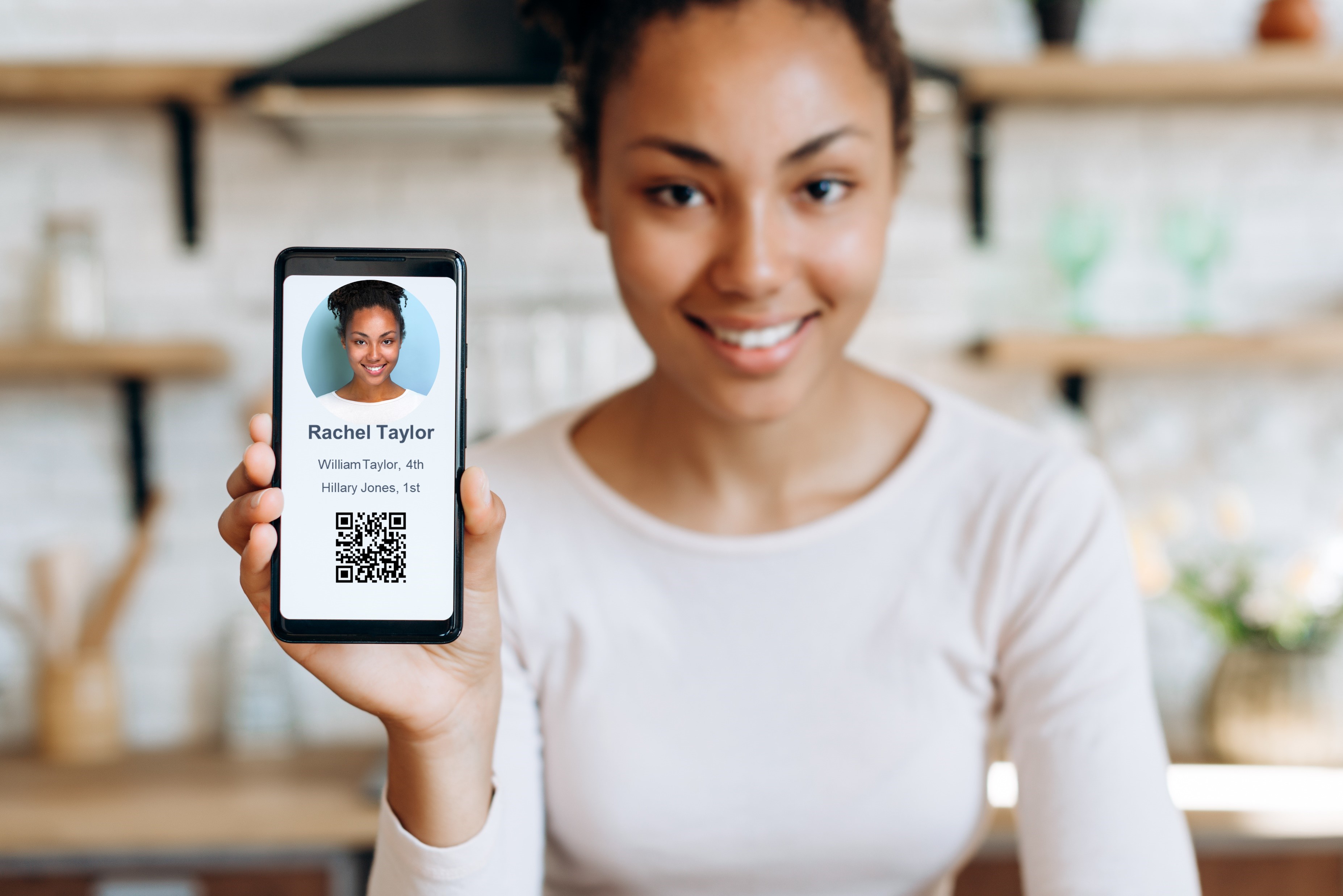
- Bring your photo ID just in case your school asks for it.
- Follow your school’s normal visitor instructions when you arrive.
Tip: Download the Circool App! Get the Circool App
Checking in for a school visit
Your school may use one of two check-in options.
Option 1: Self-service kiosk
Some schools may have a self-service kiosk in the front office, lobby, or atrium.
- Follow the instructions shown on the kiosk.
- Scan your Circool Pass or follow the mobile check-in steps shown on the screen.
- Choose or confirm the reason for your visit.
- Grab your Visitor Badge.
Option 2: Front office scan
Some schools may have the front office check you in directly.
- Open Circool on your phone.
- Show your Circool Pass to the front office staff member.
- The staff member will scan your Circool QR code.
- Tell the front office the reason for your visit, if asked.
- Follow any instructions from the front office before continuing into the school.
What if you don't have Circool?
No Problem! The next time you visit the school, just bring your ID and they will get you set-up. This won't hold up your visit!
Good to know: Being asked for ID does not mean something is wrong. It simply helps the school confirm your identity.
How Circool helps keep school visits safer
Circool helps your school confirm that visitors are checked in, connected to the right visit reason, and following the school’s visitor process.
This helps the school know who is in the building and helps make school visits more organized for parents, guardians, guests, and staff.
Helpful tips
- 1 Have your Circool Pass ready: Opening Circool before you walk in can make check-in faster.
- 2 Bring your ID: Your school may still ask to see a photo ID.
- 3 Use the option your school provides: Some schools use a self-service kiosk, and others have the front office scan your Circool Pass.
- 4 Wear your badge: If your school prints a visitor badge, wear it while you are in the building.
- 5 Follow school instructions: Each school may use Circool a little differently.
Need help?
Circool support is here to help.
If you cannot access your Circool Pass or need help using Circool, contact Circool support at support@circool.com. We will respond within one business day.
Was this article helpful?
That’s Great!
Thank you for your feedback
Sorry! We couldn't be helpful
Thank you for your feedback
Feedback sent
We appreciate your effort and will try to fix the article