How Parents Use Circool
Circool helps your school confirm that the right people are entering the building, attending events, or picking up students.
Parents and guardians may use Circool for school visits, student check-in or check-out, school events, and student pickup situations.
When to use this
Use this article if you are new to Circool and want to understand how your school may ask you to use it.
What is Circool?
Circool is a simple way for approved parents, guardians, and guests to be pre-validated to visit a school.
Your school uses Circool to help confirm who is entering the building, attending a school event, or picking up a student. Circool also helps your school use the parent and guardian information already on file.
When will I use Circool at the school?
Your may use Circool for:
- School visits
Check in at the front office when visiting the school. - Student check-in or check-out
Help the school confirm you are approved to check a student in or pick a student up. - School events
RSVP to events. Add them to your Calendar. Use your Circool Pass to check in faster at approved school events. - Student pickup or reunification
Help the school safely release students to approved parents or guardians when a special pickup process is needed. - Approved family or friend access
In some cases, your school may allow you to manage approved family members or friends through My Circool.
What is a Circool Pass?
Your Circool Pass is your personal school check-in pass.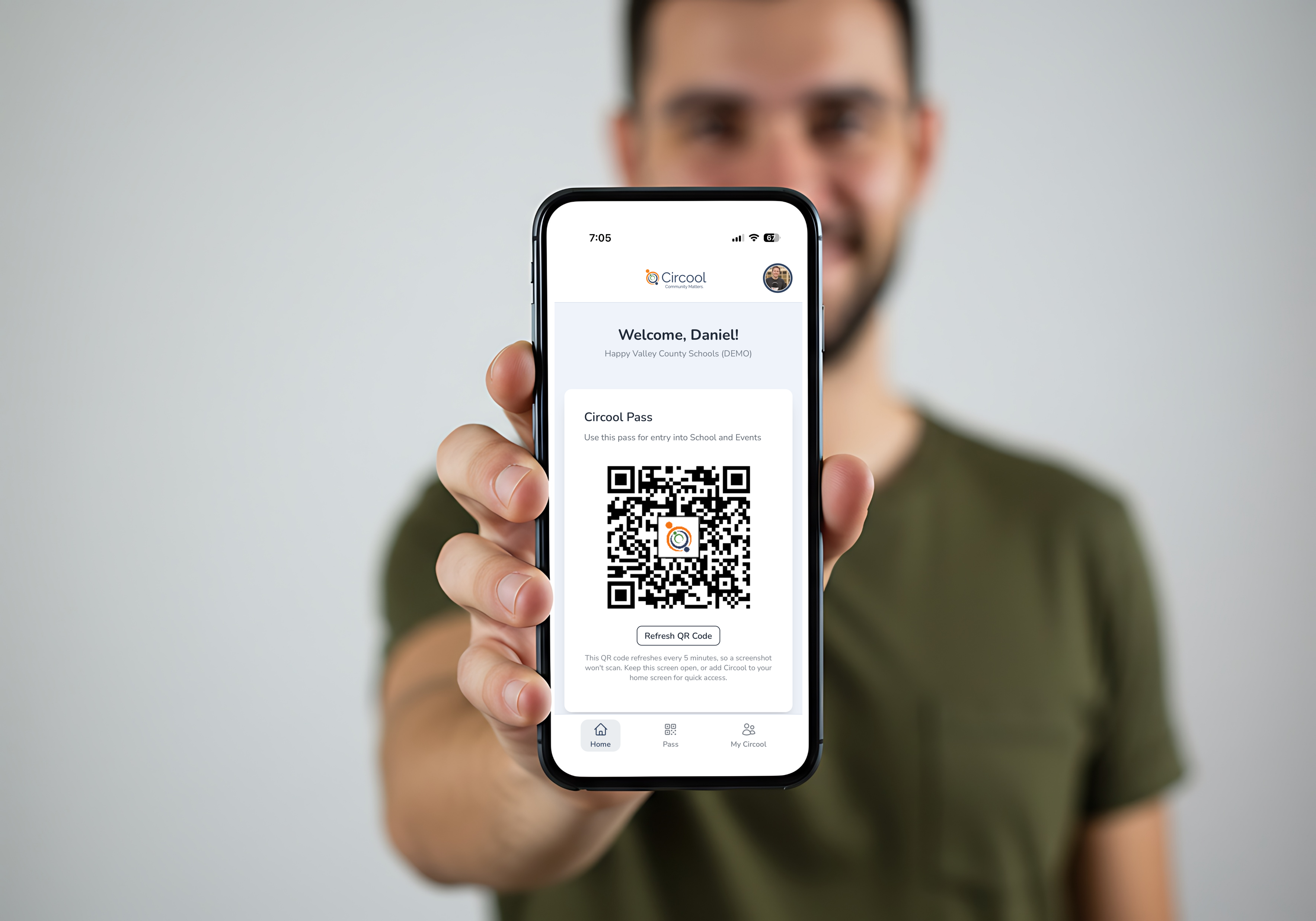
It includes a Circool QR code your school can scan when you visit, attend an event, or pick up a student.
What is My Circool?
My Circool is where you can view and manage your family and friends so that, if the need arises, you can issues them a Circool Pass (QR Code) to visit the school for events, pick-up, etc. We've saved you some time and connected your emergency contacts from the schools system. More information on My Circool can be found here Adding Family & Friends to My Circool
What happens next
You may receive an email or text message with a link to activate your Circool account. Once your account is ready, you can use your Circool Pass when your school asks for it.
Helpful tips
- 1Use your phone: Circool works from your phone.
- 2 No app store needed: There is no app store download required.
- 3 Get the Circool App: You can download Circool from the App Store or you can add Circool to your phone’s home screen so it opens like an app.
- 4 Follow your school’s process: Your school may use Circool differently depending on the situation.
- 5 School-managed information: Your school manages the parent, guardian, and student information shown in Circool.
See Download the Circool App or to learn how to add Circool to your phone’s home screen.
Need help?
Circool support is here to help.
If you have trouble accessing Circool, activating your account, or using your Circool Pass, contact Circool support. We will respond within one business day.
Email Us: support@circool.com
Was this article helpful?
That’s Great!
Thank you for your feedback
Sorry! We couldn't be helpful
Thank you for your feedback
Feedback sent
We appreciate your effort and will try to fix the article