Signing Up for Circool Text Messages
Circool can send you helpful text messages from your school.
Text messages may include school event invitations, quick links, or important updates from your school. Circool will never send you marketing information or give your information away. That's a promise.
When to use this
Use this article if you want to receive Circool text messages from your school or need to verify your mobile phone number in Circool.
What text messages are used for
Circool keeps text messages simple. Your school may use them for:
- School event invitations with quick links to respond or access your Circool Pass.
- Important school updates related to Circool check-in, pickup, or student release.
- Student pickup or reunification updates when your school needs to share pickup instructions.
You are in control. You can turn Circool text messages on or off from your profile settings.
Step-by-step instructions
- Log in to Circool
Open Circool and log in using your secure link.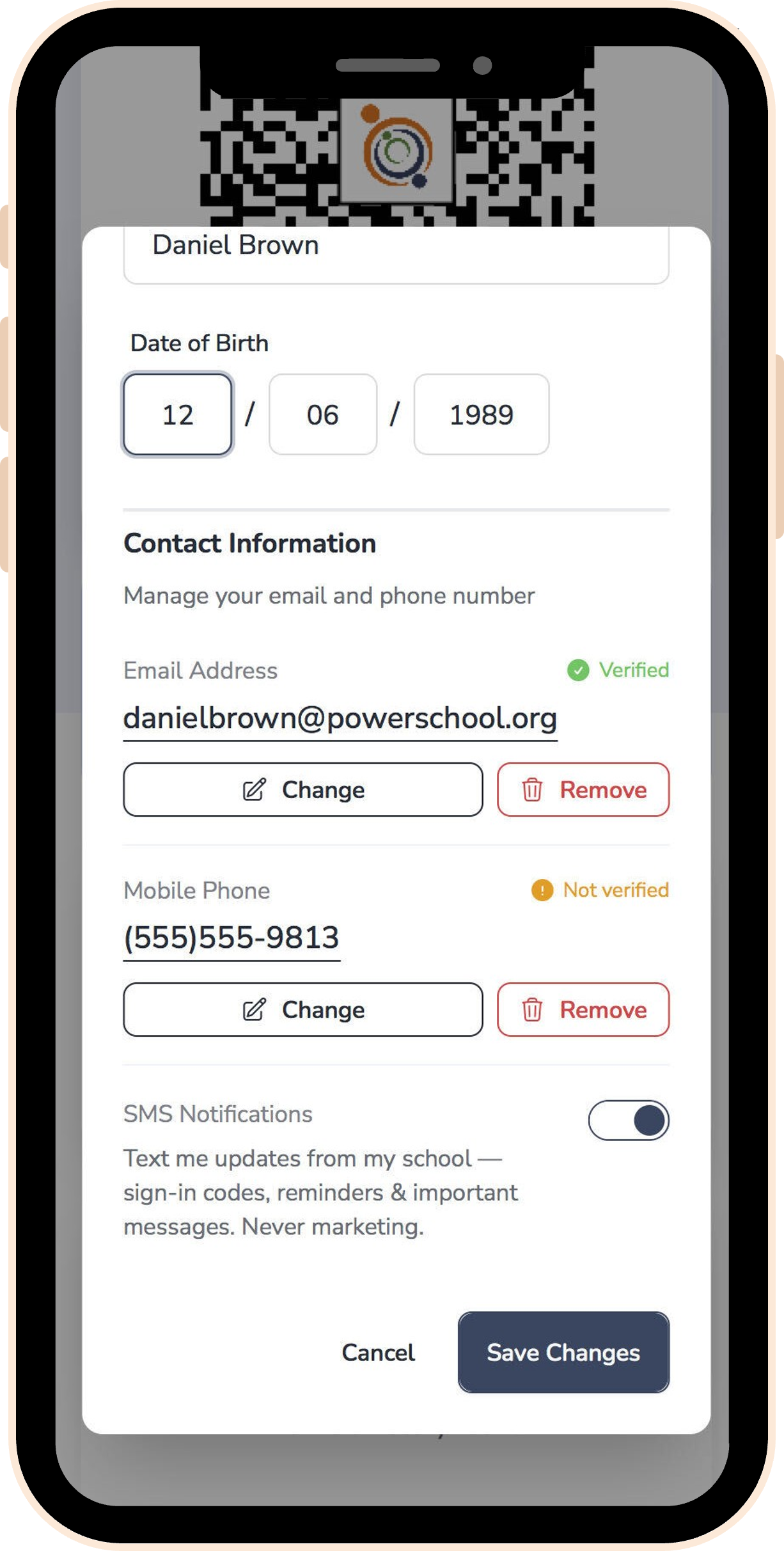
- Tap your profile picture in the top right.
- Choose Access Profile from the menu.
- Scroll to the Mobile Phone section.
- Enter your mobile phone number
- Enable SMS Notifications.
- Verify your phone number
Circool will send you a verification text message. Enter the code to confirm your number. - Tap Save Changes.
What happens next
Once your phone number is verified, Circool can send text messages based on your school’s Circool settings.
You may receive school event invitations, Circool Pass links, or important pickup-related updates from your school.
Circool will never text you marketing information. You will only receive school approved messages.
Helpful tips
- 1 Verify your number: Your mobile number must be verified before you can receive Circool text messages.
- 2 You control texts: You can turn SMS Notifications on or off from your profile settings.
- 3 Use your mobile number: Text messages should be sent to a mobile phone number, not a home phone number.
- 4 Privacy first: Circool does not sell your information. Ever.
Need help?
Circool support is here to help.
If you have trouble verifying your phone number or turning on SMS Notifications, contact Circool support at support@circool.com. We will respond within one business day.
Was this article helpful?
That’s Great!
Thank you for your feedback
Sorry! We couldn't be helpful
Thank you for your feedback
Feedback sent
We appreciate your effort and will try to fix the article